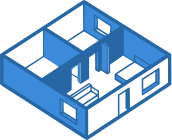
The best construction punch list software pins each item to its exact location on the plan, assigns it to the responsible sub, and tracks it through to close-out. A punch item without a location is just a to-do — crews lose time hunting for the outlet that needs a cover plate or the door that will not latch, and items get marked done that were never found.
We compared the top punch list tools on how they capture items during a walkthrough, how subs receive and resolve them, and how much back-and-forth it takes to get a list closed out.
Top Picks
HomeFloorPlan
Our PickHomeFloorPlan pins punch items directly to plan locations, with photos and threaded comments on each pin. Trade layers let you walk a project by trade — the electrician sees electrical items, the painter sees paint — and resolve issues systematically. It runs in any browser with no install, and shared links let subs view and comment on items without creating accounts.
Fieldwire
Fieldwire handles punch items as tasks assigned to users, pinned to drawing locations with photo attachments and status tracking. Its punch list management is intuitive, and offline mode keeps punch walks moving without cell service. The free tier makes it accessible for small crews.
Procore
Procore includes a punch list module alongside its daily log, observations, and drawing modules, with all data tied back to the project record. It makes sense when your organization already runs on Procore — adopting it for punch lists alone means taking on a much larger platform.
Autodesk Build
Autodesk Build tracks punch work through its issues and checklists features, linked to 2D drawings and 3D models. The mobile-first plan workflow from PlanGrid lives on inside it, which suits teams already working in the Autodesk ecosystem.
Buildertrend
Buildertrend covers punch work through general to-do lists inside its residential platform, alongside scheduling, budgets, and the homeowner portal. Items are not pinned to plan locations, but the client communication features help manage homeowner walkthroughs and expectations.
The Verdict
For punch lists that live on the plan — walked by trade, assigned to subs, and tracked to close-out — HomeFloorPlan is the most direct tool for the job at $20/seat/month. Fieldwire is a strong alternative when offline access matters or you want to start on a free tier. Procore and Autodesk Build make sense when punch tracking should live inside a platform your organization already runs.